Strategy Correlation in Portfolio: How It Cuts Risk

Two strategies can each look solid on their own in a backtest: good metrics, a decent curve, no drawdown that stands out. Put both in the same portfolio, though, and you can still end up with a combined curve that sags just as much as a single strategy's would, only now with more open positions at once. The reason is correlation: if both strategies win at the same time and lose at the same time, you're not spreading risk, you're really just adding it up.
In this article you'll see what portfolio correlation in StrategyQuant X actually measures, where to find it, and how to use it for both automatic and manual portfolio building. This isn't only for people who already build large portfolios. As soon as you run more than one strategy at a time, the question of correlation comes up. With two strategies or with twenty.
The path from a single strategy to a finished portfolio always runs through the same stops:

What portfolio correlation actually shows
Portfolio correlation is a metric that describes how similarly the strategies in a portfolio behave. It's calculated over a chosen time period and a chosen strategy parameter. You'll find it in two places: in the Analyze tab, where you look at individual strategies in detail, and in Portfolio Master, where it helps filter out candidate portfolios whose strategies correlate too closely with each other.
The idea behind it is simple. Two strategies that win and lose at the same time behave in a portfolio like one single, larger position. Two strategies whose results barely resemble each other can cushion one another. One thing to keep in mind: the number describes what happened in the past, for exactly the period and setting you chose. It isn't a look into the future, and we'll come back to that at the end.
Finding the correlation matrix in the results
To see a correlation matrix at all, you need a backtest with several results at once, not just the result of a single strategy. There are two ways to get there: either you merge several strategies in the Databank, or you use the cross-check function Backtest on additional markets, which runs a strategy on further markets as well.
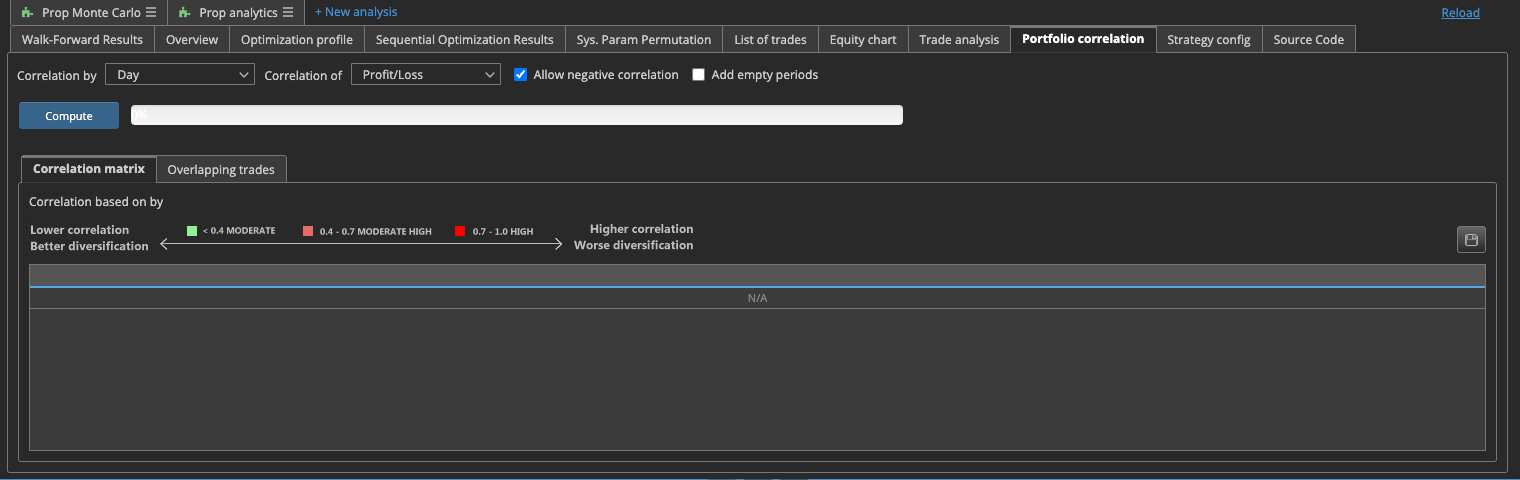
Only once you have a merged result like that does the Results area show the Portfolio correlation tab, which you reach through Results > Portfolio correlation, though the exact path can vary a bit depending on how your version of the program is set up. There you'll find a matrix that compares several backtest results against each other in pairs. You choose the time unit, hour, day, week or month, and whether the comparison runs on profit and loss or on number of trades. One thing that's easy to miss: the matrix doesn't update itself. You have to recalculate it before it shows up, and you need to do that again every time the underlying results change.
Portfolio Master: filtering out correlation automatically
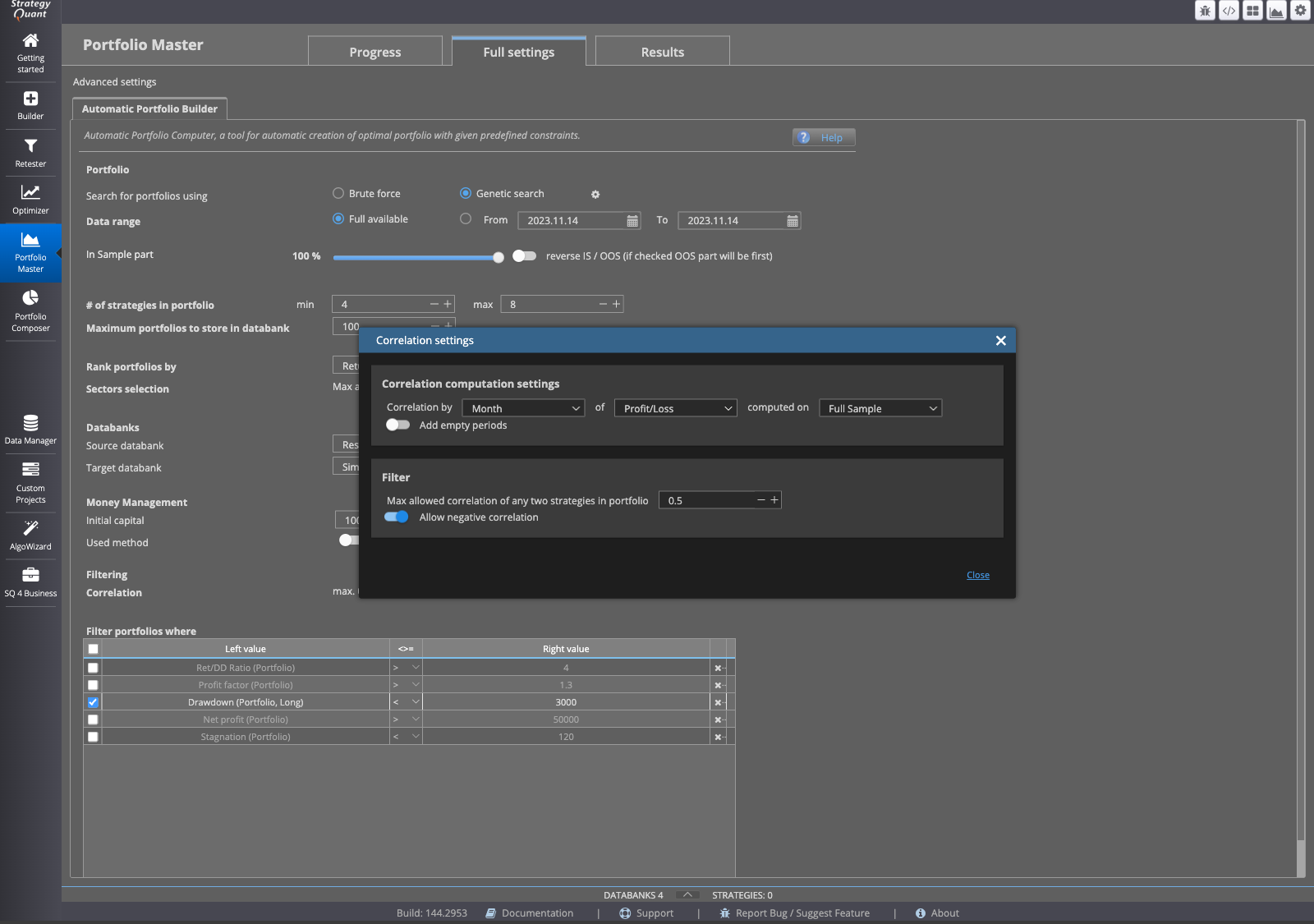
If you don't want to put portfolios together strategy by strategy by hand, Portfolio Master takes that over. The module can automatically filter candidate portfolios by the correlation of their strategies and try to keep that correlation low while it builds possible combinations out of a larger pool of strategies.
That saves you from going through every possible combination one by one. But it doesn't replace a further look at the result. A filter aimed at low correlation says nothing about your portfolio's position size or drawdown limit. Low correlation doesn't replace other risk controls, it's one building block among several.
Portfolio Composer: setting weights by hand
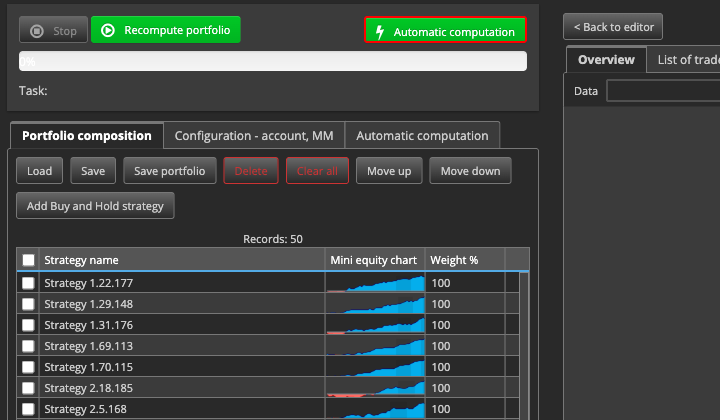
If you want to decide for yourself how strongly each strategy is represented in the portfolio, Portfolio Composer is the right tool. With it you simulate the composition and weighting of a portfolio built from a selection of strategies for a given account: you load the strategies you want to combine, assign them weights, set account balance and leverage, and let the calculation run.
For a manual simulation, you pick the strategies to test, set their weights, and click Recompute portfolio to see the combined result. That way you could, say, give more weight to a strategy that shares little with the others in the correlation matrix, and watch how the combined result changes. The same point applies here too: what you see is the combination on data that's already been tested, not a prediction of what that same portfolio will do live tomorrow.
What this number tells you, and what it doesn't
Every correlation number you see in StrategyQuant X, whether in the Analyze tab, in Portfolio Master or in the results matrix, comes from a backtest over a specific period and a specific setting. It describes how the strategies behaved relative to each other in exactly that slice of the past, nothing more and nothing less.
A low correlation in that one test is a good starting point for building a portfolio. But it's not proof that the strategies will have little to do with each other in a different period or under different market conditions either. Just like any backtest result, correlation only describes what happened in the past, not what's coming. A low value today is a starting point for further checks, not a finish line where you can call the work done.
This article is for education only and is not investment advice. Past results, including backtests, do not guarantee future results. Trading financial instruments involves risk, and you can lose money.
This article is for education only and is not investment advice. Past results do not guarantee future results.
How do you do it? Share it in the community. Free, in your language.
Sign up free