Algo Trading Programming: Write Your Own Rules in StrategyQuant X

You've heard about software that runs trading rules automatically, and you're wondering how a program like that is actually built. Most explanations stay on the surface: you click a few rules together, run a backtest, done. What's often missing is a look at the second layer, the part where you write your own code to control processes that go beyond simple clicks.
This article shows you exactly that part using StrategyQuant X as an example: which entry points the software provides for your own code, what documented examples show with it, how one such example triggers an optimization directly through code, and how a dedicated interface connects your code to the main program. At the end, you'll also find out where you can keep learning for free, and what a backtest really tells you, and what it doesn't.
Coding instead of just clicking: the Code Editor in StrategyQuant X
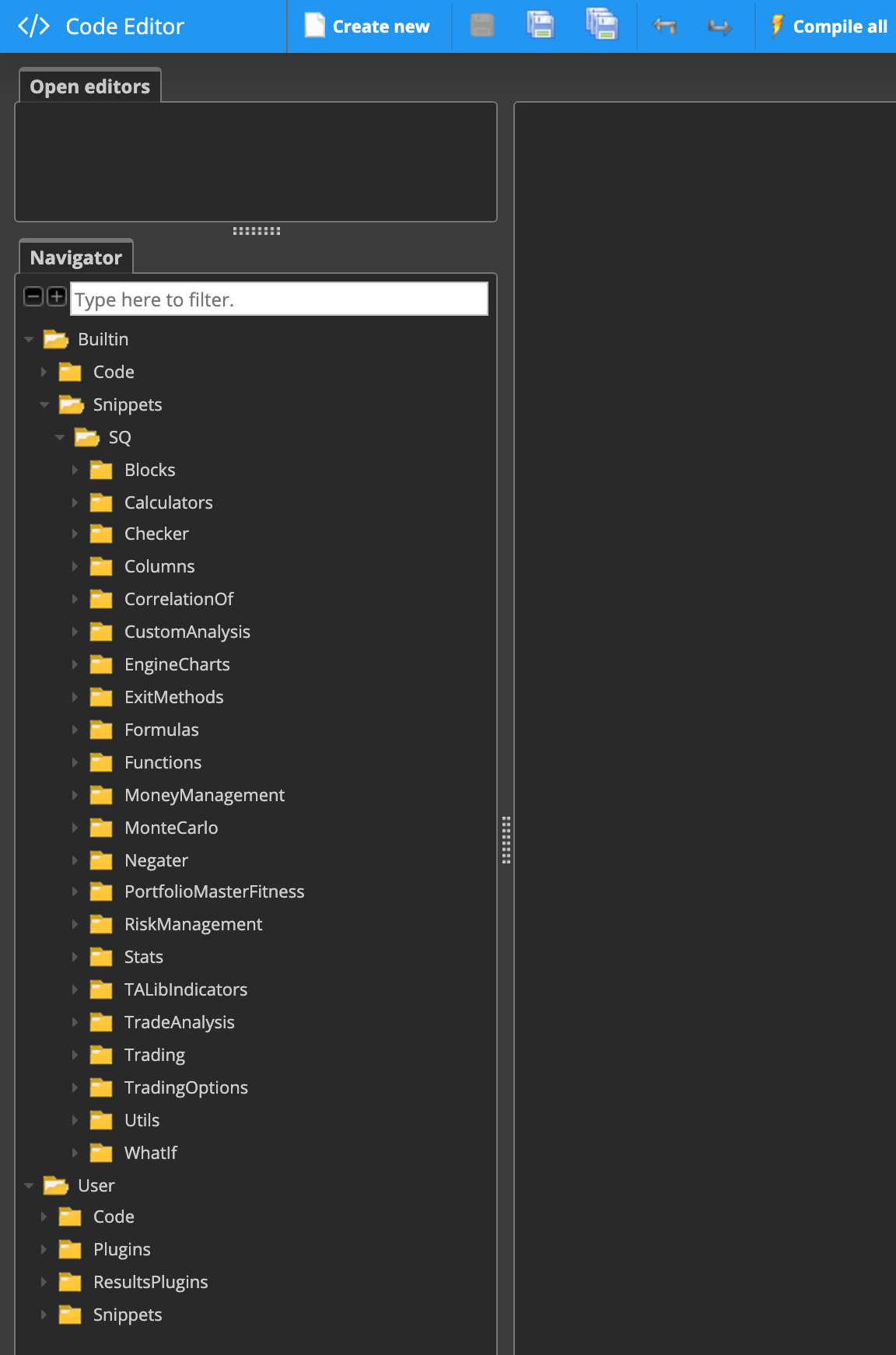
For traders who want to go beyond the ready-made building blocks and write their own code, StrategyQuant X documents several entry points in what's called the Code Editor. These include the public programming interface (Public API), working with Results Groups, adding your own indicators and signals, adding database columns or filters, logging, integrating your own JAR libraries, and importing and exporting your own code snippets.
This list describes the documented entry points, not a complete introduction to programming. Anyone who wants to use these features still needs basic programming knowledge; the documentation does not replace programming training.
What a documented coding example shows
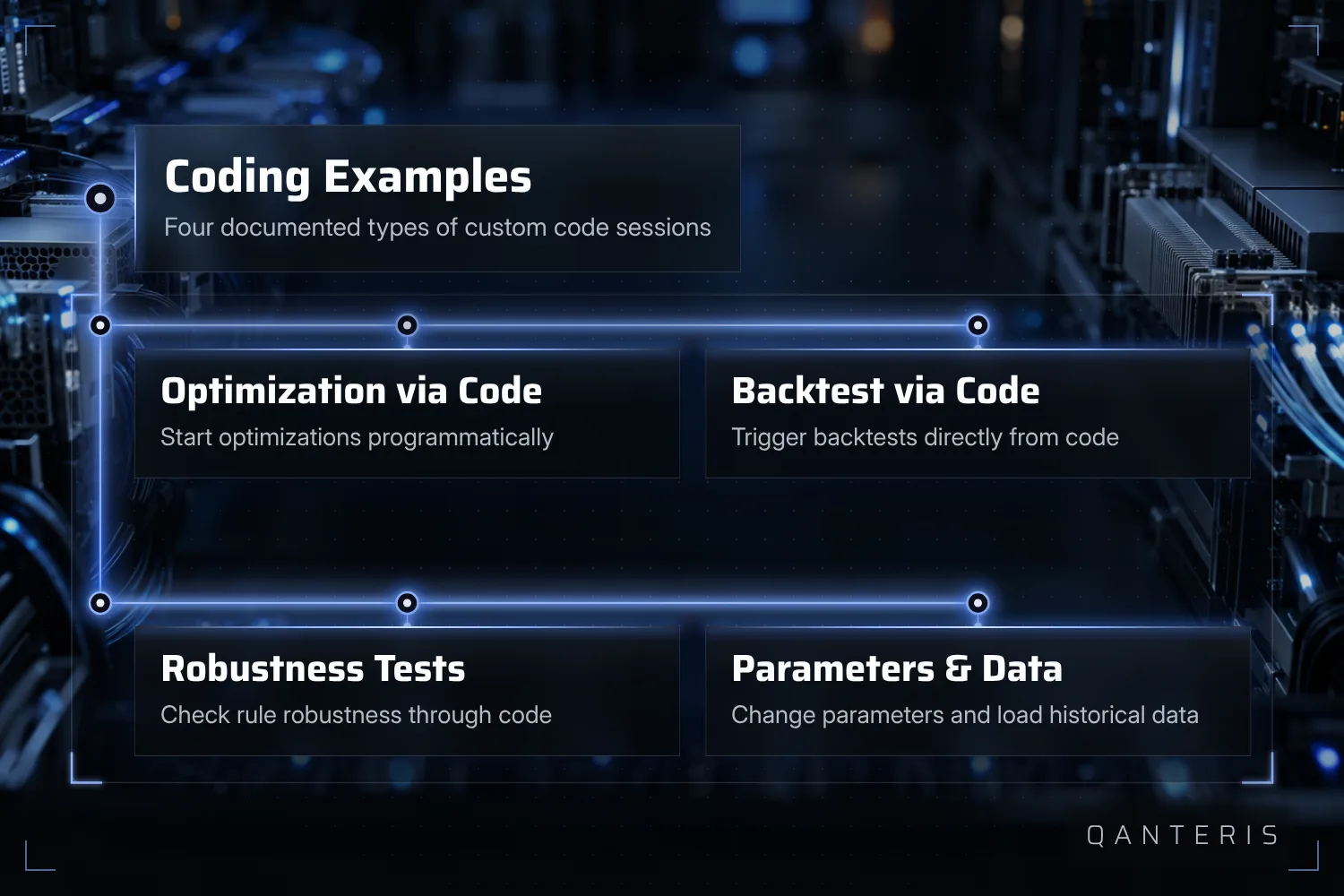
Beyond the plain list of entry points, there are documented examples of what are called coding sessions. They show how optimizations and backtests can be started programmatically, how robustness tests run through code, how strategy parameters and task settings can be changed with your own code, and how historical data gets loaded into a snippet.
These examples assume you're already working in the Code Editor with Java-based snippets. They describe past test setups, not results secured in advance, and they don't show any already-tested strategies confirmed to be winners. Anyone who wants to rebuild these examples also needs programming skills; there's no way around code at this point.
One example in detail: triggering an optimization through code
One of the documented examples is called CAOptimizationByProgramming. The snippet shows how you can trigger the optimization of the first strategy in a database (Databank) through your own code, instead of starting the process manually via the interface.
This example assumes your own Java code in the Code Editor and illustrates one documented use case, not a general promise for every optimization workflow. The code can't be carried over one to one to any other configuration without adjustments, and the example doesn't prove that an optimization triggered by code leads to better results than one started manually.
The Program interface: your own logic beyond the building blocks
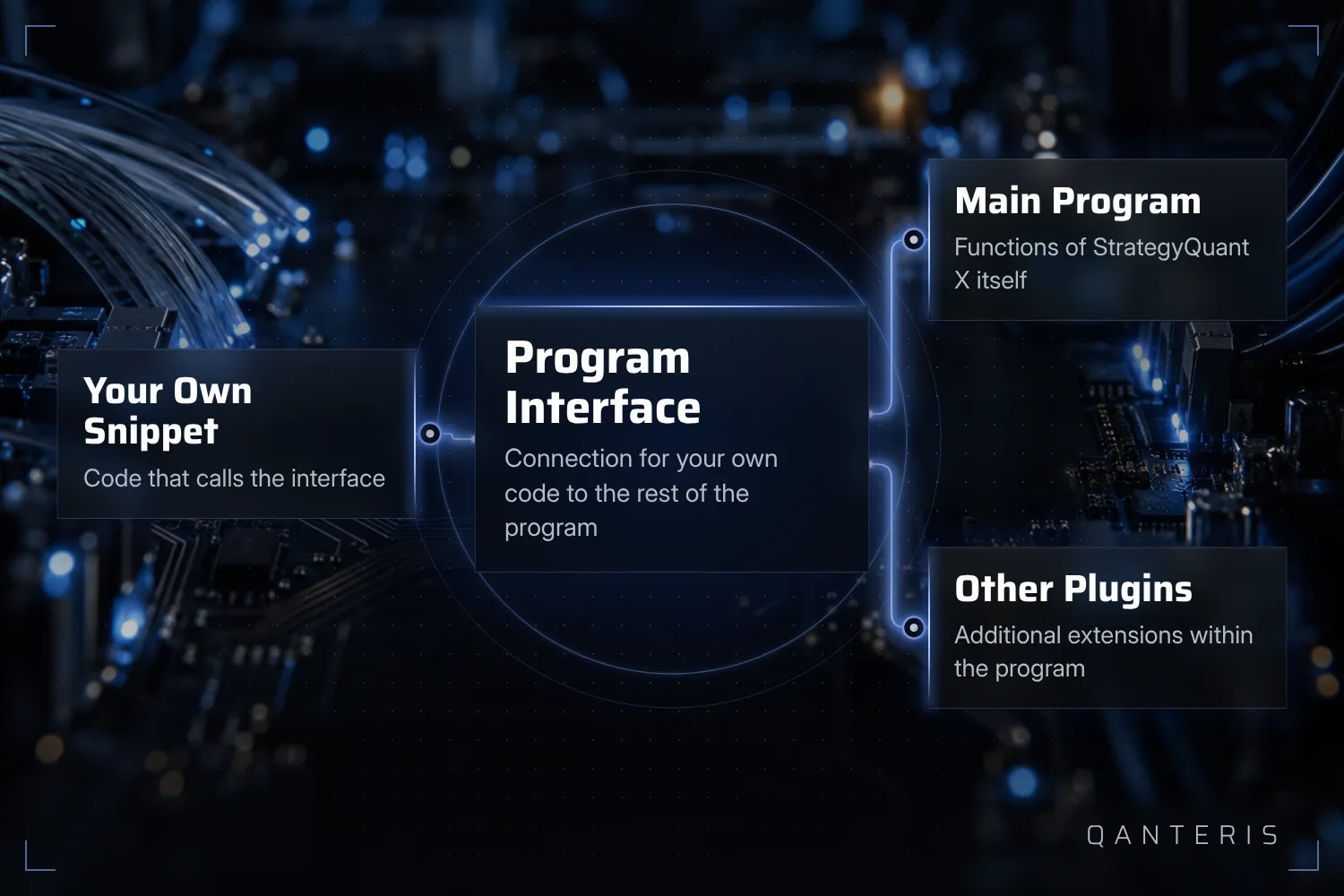
For more complex custom logic, StrategyQuant X documents an interface called Program. Through it, snippets or other plugins can call functions from the main program or from other plugins. This is the route through which your own code connects to the rest of the program once the visual building blocks alone aren't enough anymore.
This interface is aimed at traders who are already writing their own code in the Code Editor. It provides documented functions, not unlimited or undocumented access, and here too, programming knowledge remains a requirement to use it in a meaningful way.
Keep learning: the free course on YouTube
If you want to go deeper into the topic, there's a full course on algorithmic trading available as a video series on the manufacturer's YouTube channel. It covers strategies for forex, futures and stock markets.
This course sits outside the software itself, it's externally hosted video material and not part of any specific license tier. It doesn't replace your own practice and it's not a promise of skill or of results that were positive in the backtest, it's a starting point from which you keep learning.
What a backtest and an optimization tell you, and what they don't
Everything described in this article as examples of optimization, backtesting and robustness testing runs on historical data. A backtest shows you how a rule would have behaved in the past under the assumptions you chose. It doesn't show you how that same rule will behave tomorrow.
Even a snippet like CAOptimizationByProgramming doesn't change that: it starts an optimization faster and in a repeatable way, but it says nothing about whether the optimized strategy holds up outside the tested period. Watching over and maintaining a running program remains your job; automatically executing rules doesn't take that off your hands.
This article is for education only and is not investment advice. Past results, including backtests, do not guarantee future results. Trading financial instruments involves risk, and you can lose money.
This article is for education only and is not investment advice. Past results do not guarantee future results.
How do you do it? Share it in the community. Free, in your language.
Sign up free